OpenClaw 🦞


“EXFOLIATE! EXFOLIATE!” — A space lobster, probably
Any OS gateway for AI agents across WhatsApp, Telegram, Discord, iMessage, and more.
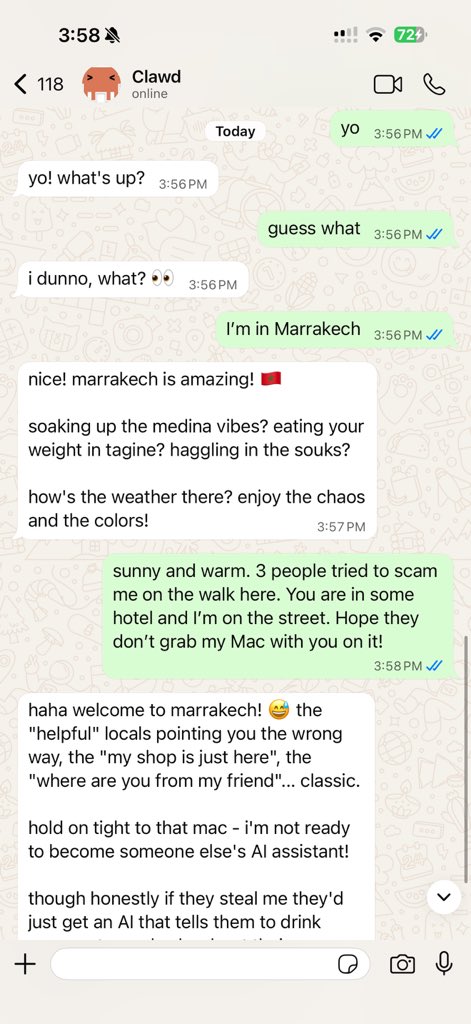
Send a message, get an agent response from your pocket. Plugins add Mattermost and more.
- Get Started — Install OpenClaw and bring up the Gateway in minutes.
- Run the Wizard — Guided setup with
openclaw onboardand pairing flows. - Open the Control UI — Launch the browser dashboard for chat, config, and sessions.
What is OpenClaw?
OpenClaw is a self-hosted gateway that connects your favorite chat apps — WhatsApp, Telegram, Discord, iMessage, and more — to AI coding agents like Pi. You run a single Gateway process on your own machine (or a server), and it becomes the bridge between your messaging apps and an always-available AI assistant.
Who is it for? Developers and power users who want a personal AI assistant they can message from anywhere — without giving up control of their data or relying on a hosted service.
What makes it different?
- Self-hosted: runs on your hardware, your rules
- Multi-channel: one Gateway serves WhatsApp, Telegram, Discord, and more simultaneously
- Agent-native: built for coding agents with tool use, sessions, memory, and multi-agent routing
- Open source: MIT licensed, community-driven
What do you need? Node 24 (recommended), or Node 22 LTS (22.16+) for compatibility, an API key from your chosen provider, and 5 minutes. For best quality and security, use the strongest latest-generation model available.
How it works
flowchart LR
  A["Chat apps + plugins"] --> B["Gateway"]
  B --> C["Pi agent"]
  B --> D["CLI"]
  B --> E["Web Control UI"]
  B --> F["macOS app"]
  B --> G["iOS and Android nodes"]
The Gateway is the single source of truth for sessions, routing, and channel connections.
Key capabilities
- Multi-channel gateway — WhatsApp, Telegram, Discord, and iMessage with a single Gateway process.
- Plugin channels — Add Mattermost and more with extension packages.
- Multi-agent routing — Isolated sessions per agent, workspace, or sender.
- Media support — Send and receive images, audio, and documents.
- Web Control UI — Browser dashboard for chat, config, sessions, and nodes.
- Mobile nodes — Pair iOS and Android nodes for Canvas, camera, and voice-enabled workflows.
Quick start
Step 1: Install OpenClaw
```bash
npm install -g openclaw@latest
```
Step 2: Onboard and install the service
```bash
openclaw onboard --install-daemon
```
Step 3: Pair WhatsApp and start the Gateway
```bash
openclaw channels login
openclaw gateway --port 18789
```
Need the full install and dev setup? See Quick start.
Dashboard
Open the browser Control UI after the Gateway starts.
- Local default: http://127.0.0.1:18789/
- Remote access: Web surfaces and Tailscale
Configuration (optional)
Config lives at ~/.openclaw/openclaw.json.
- If you do nothing, OpenClaw uses the bundled Pi binary in RPC mode with per-sender sessions.
- If you want to lock it down, start with
channels.whatsapp.allowFromand (for groups) mention rules.
Example:
{
  channels: {
    whatsapp: {
      allowFrom: ["+15555550123"],
      groups: { "*": { requireMention: true } },
    },
  },
  messages: { groupChat: { mentionPatterns: ["@openclaw"] } },
}
Start here
- Docs hubs — All docs and guides, organized by use case.
- Configuration — Core Gateway settings, tokens, and provider config.
- Remote access — SSH and tailnet access patterns.
- Channels — Channel-specific setup for WhatsApp, Telegram, Discord, and more.
- Nodes — iOS and Android nodes with pairing, Canvas, camera, and device actions.
- Help — Common fixes and troubleshooting entry point.
Learn more
- Full feature list — Complete channel, routing, and media capabilities.
- Multi-agent routing — Workspace isolation and per-agent sessions.
- Security — Tokens, allowlists, and safety controls.
- Troubleshooting — Gateway diagnostics and common errors.
- About and credits — Project origins, contributors, and license.